

Instagram is one of the most popular social platforms in the U.S., but with growing concerns around privacy and digital boundaries, many users are asking: how to hide your following list on Instagram? Whether you’re a content creator, influencer, or casual user, controlling who sees your connections can help you maintain a more private and curated experience.
Can You Hide Your Following List on Instagram?
Technically, Instagram doesn’t offer a direct feature to hide your following list entirely. However, there are several workarounds that can help you limit who sees it. These methods vary depending on whether your account is public or private.
Private vs. Public Accounts
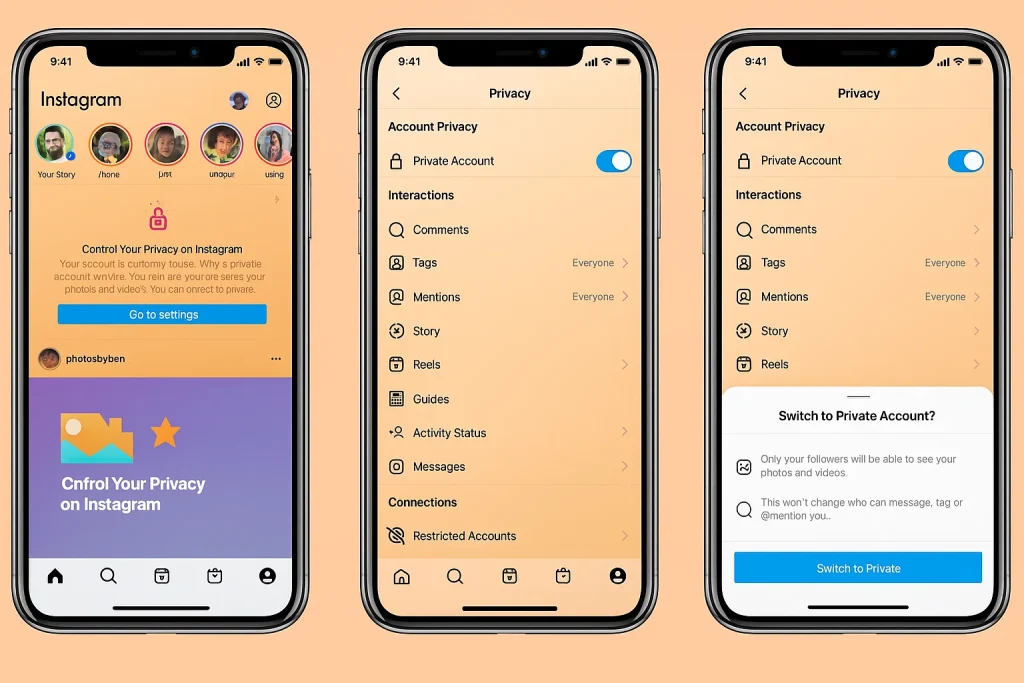
If your account is set to private, only approved followers can view your following list. For public accounts, your following list is visible to anyone who visits your profile. Switching to a private account is the most effective way to restrict access.
Step-by-Step: How to Limit Access to Your Following List
1. Switch to a Private Account
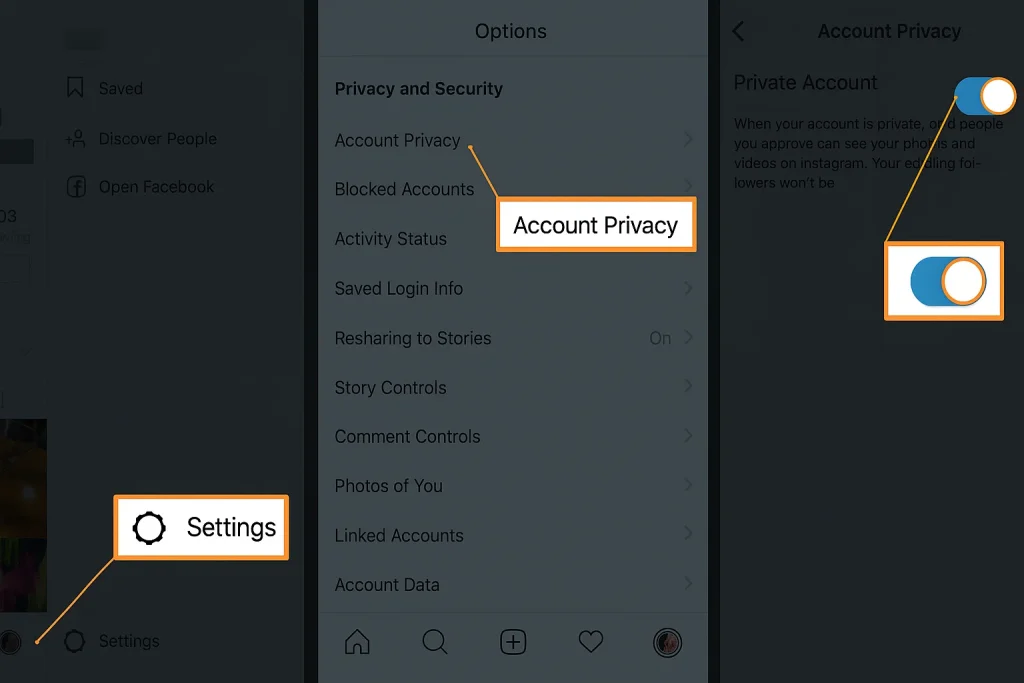
To make your account private:
- Open Instagram and go to your profile.
- Tap the three lines in the top right corner.
- Select Settings & Privacy.
- Tap Account Privacy and toggle on Private Account.
This ensures only approved followers can see your activity, including your following list.
2. Remove Unwanted Followers
If you already have followers you’d prefer not to share your list with, you can remove them:
- Go to your followers list.
- Tap Remove next to the follower’s name.
3. Block Specific Users
Blocking someone will prevent them from seeing your profile entirely, including your following list. To block:
- Visit the user’s profile.
- Tap the three dots in the top right corner.
- Select Block.
Why You Might Want to Hide Your Following List
There are several reasons users choose to hide their following list:
- Privacy: Avoid unwanted scrutiny or judgment.
- Professionalism: Maintain a clean brand image.
- Security: Prevent stalkers or bots from tracking your network.
Limitations of Instagram’s Privacy Settings
Instagram’s native settings don’t allow full customization of who sees your following list. Even with a private account, approved followers can still view it. For more advanced privacy, consider using third-party tools or managing your follower base actively.
Tips for Influencers and Brands
If you’re building a brand or managing a professional account, hiding your following list might not be ideal. Transparency can build trust. However, if you’re managing multiple accounts or working with sensitive niches, privacy becomes essential.
Fanzico’s TikTok growth services and Instagram marketing solutions are designed to help you grow authentically while maintaining control over your digital presence.
Frequently Asked Questions
Can I hide my following list from specific people?
No, Instagram doesn’t allow selective hiding. You’ll need to block or remove followers to restrict access.
Does switching to a private account hide my following list?
It limits visibility to approved followers, but doesn’t hide it completely.
Are there third-party apps that can hide my following list?
Be cautious. Most third-party apps violate Instagram’s terms and can compromise your account security. Stick to native settings and manual management.
Final Thoughts
While Instagram doesn’t offer a direct way to hide your following list, switching to a private account and managing your followers can help you maintain control. For creators and brands, balancing transparency and privacy is key.
Want to grow your Instagram while keeping your strategy discreet? Explore Fanzico’s expert insights and discover how we help influencers and businesses thrive in a competitive space.
For more on social media privacy, check out FTC’s guide to online privacy.
Emily Carter
Emily Carter, social media growth expert, shares proven Instagram & TikTok strategies on Fanzico, helping brands and creators boost engagement, visibility, and content performance.